 Bulin 47 AI
AI VIDEO GENERATOR
Bulin 47 AI:
Make the freestyle yours.
Upload one photo to make a Bulin 47 AI video inspired by the viral freestyle. The preset guides the moves, scene, and rhythm; the finished vertical MP4 keeps the original audio.
Make the freestyle yours
One photo in. You in the spotlight.
A clear upper-body photo works best. Show one person, good lighting, and the outfit you want in the video.
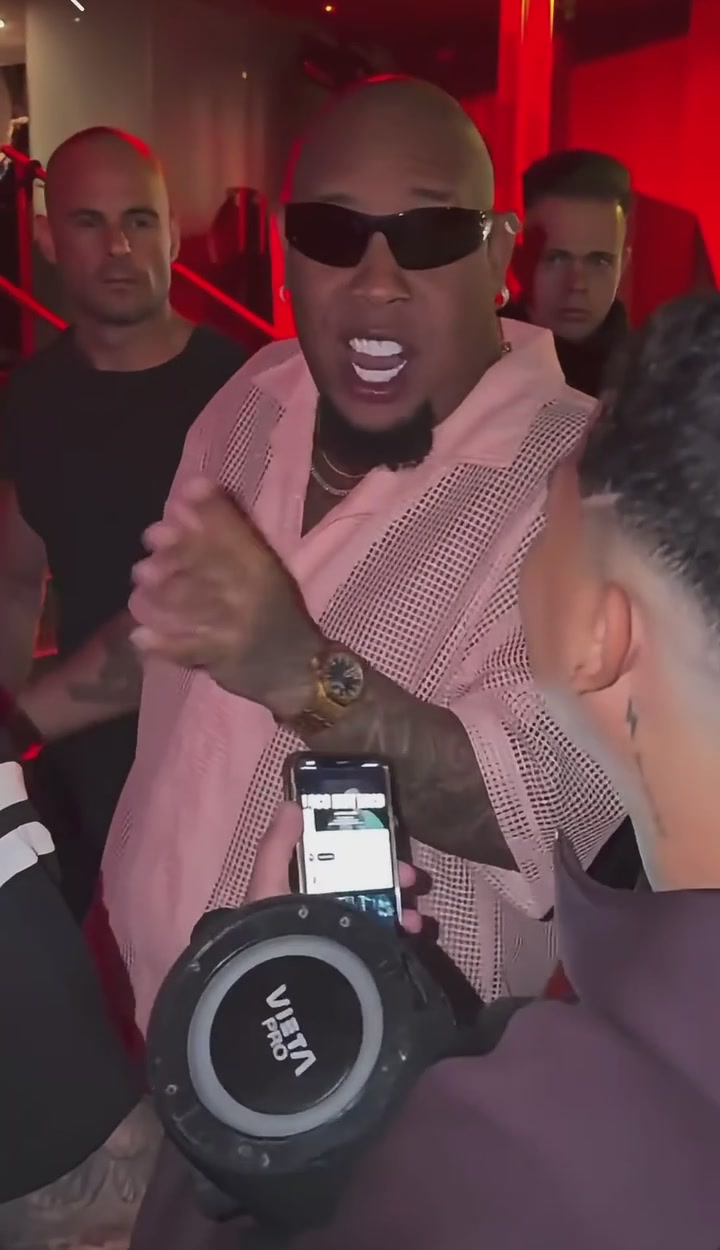
Bulin 47 freestyle
23-second scene · Original sound
Uses 1 video credit
By generating, you accept our Terms of Service.
Independent AI creation tool. Not affiliated with or endorsed by Bulin 47.
Same freestyle. A whole new lead.
See how a different character changes the scene. These are reference-site examples, not results from your photo.
How to make a Bulin 47 AI video from one photo
To make a Bulin 47 AI video, upload a clear photo of yourself or a character you have permission to use. Generate with the fixed freestyle template, preview the result with sound, and download the 9:16 MP4. Your photo guides the lead’s appearance; the reference guides the movement and camera. No filming, prompt writing, or manual editing is required.
Upload your photo
Choose one person or an authorized character image. Show a clear face, hairstyle, and upper body, including the outfit you want the AI to reference.
Generate with the preset
Sign in, confirm your photo permissions, and check the one-credit cost before generating. The performance and instructions are already prepared.
Preview and download
Watch the result with sound. Check the face, clothing, hands, and surrounding people, then download the 9:16 MP4. Find completed clips in My videos.
All the energy. Less of the work.
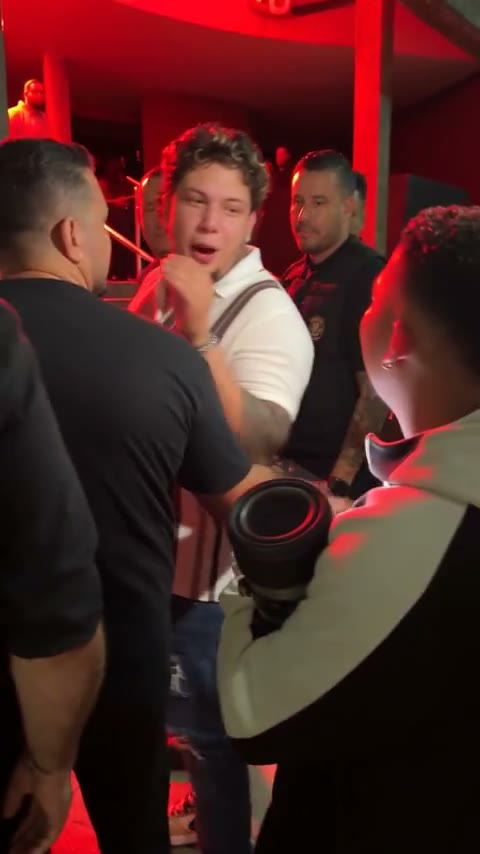
You take the lead
Your photo guides the character. The reference performance guides the gestures, scene, and camera.
Keep the familiar sound
The original audio is added back to the finished video. Listen to your take before sharing.
Made for the vertical feed
Download a 9:16 MP4 for TikTok, Instagram Reels, and YouTube Shorts. No editing timeline required.
A little photo. A big moment.
Pick a video pack. Pay once. Create when you want.
1 video
$12.90 per video
- The complete freestyle template
- Original audio included
- 480p vertical MP4 download
- Credits never expire
- Credit returned if generation fails
3 videos
$11.63 per video
- The complete freestyle template
- Original audio included
- 480p vertical MP4 download
- Credits never expire
- Credit returned if generation fails
5 videos
$10.98 per video
- The complete freestyle template
- Original audio included
- 480p vertical MP4 download
- Credits never expire
- Credit returned if generation fails
One credit per generation. Prices in USD. No recurring charges. Any applicable tax is shown at checkout.
Bulin 47 AI questions, answered
What is Bulin 47 AI?
Bulin 47 AI is an independent AI video maker built around a fixed freestyle performance. One photo supplies the lead character's appearance, while the reference clip guides the scene, movement, and camera. You can preview and download the result with the original freestyle audio.
Do I need to film myself, write a prompt, or upload the original clip?
No. The reference video and instructions are built in. Bring one photo, confirm that you have permission to use it, and generate. This page uses one fixed template, with no custom scene or prompt to set up.
What photo should I use for a Bulin 47 AI video?
Use a sharp, well-lit photo of one subject with the face, hairstyle, and upper body visible. Include the outfit you want the AI to reference. Avoid heavy filters, covered faces, and group photos. JPG, PNG, and WebP files up to 10 MB are accepted. Only upload images you own or are authorized to use.
Who does my photo replace in the freestyle?
The photo targets the lead performer behind the person holding the portable speaker. There is one character slot; the speaker holder and crowd have no separate photo inputs. The preset asks the AI to keep the rest of the scene, but faces, hands, clothing, and background details can still change.
Does Bulin 47 AI keep the original sound?
Yes. The reference clip's original audio is added to the generated visuals before delivery. You do not need to upload music. The tool does not clone your voice or write new lyrics, and mouth movements may differ from the sound. Listen to the finished clip before sharing.
Is Bulin 47 AI free, or do I need a subscription?
Video generation uses paid credits. Choose a one-time pack: 1 video for $12.90, 3 for $34.90, or 5 for $54.90, in USD. One credit covers one generation. No subscription is required, and unused purchased credits do not expire. Any applicable tax is shown at checkout.
What happens if generation fails or the result looks wrong?
A failed generation or failed video delivery automatically returns its video credit. A completed video can still have imperfect faces, hands, or movement; those differences do not automatically count as a technical failure. If you try again with a clearer photo, the new generation uses another credit.
How long is the video, and what format can I download?
The preset uses an approximately 23-second reference performance. It generates at standard 480p and delivers a 9:16 vertical MP4 with the original audio. This page has no custom duration or resolution selector. Preview your finished clip to check its full picture and sound.
How long does a Bulin 47 AI video take to generate?
Timing depends on the AI provider's queue and processing. Follow your task's status in the studio or return to My videos to check it. If a task is still processing, check the same task again; starting a separate generation uses another credit.
Can I change the outfit or use a fictional character?
Your photo guides the lead's visible hairstyle and clothing. Choose an image that shows the look you want. You may use a fictional or illustrated character image if you have the necessary rights. Stylized details and unusual proportions can change during movement, so review the whole clip.
What happens to my uploaded photo and finished video?
Your photo is temporarily kept in your browser tab so you can continue after signing in. When you generate, it is sent to fal and its model provider for processing; provider retention follows their policies. The app does not save the submitted photo in its database. Finished videos are private to your account and can be deleted in My videos.
Can I upload the video to TikTok, Instagram Reels, or YouTube Shorts?
You can download the vertical MP4 for those platforms. Before posting, check the permissions needed for your photo, depicted people, source performance, and soundtrack, along with the destination's rules for AI-generated content. A download does not itself grant music or performance rights.
Is Bulin 47 AI an official Bulin 47 product?
No. This is an independent AI creation tool with no official affiliation with, endorsement from, or sponsorship by Bulin 47. The name identifies the freestyle template.